Restaurant billing software for India
Take the order. Send the KOT. Print the bill.
RestroCompass POS is billing software for dining restaurants, quick-service restaurants (QSR), cafés, bakeries and food trucks. It runs on your own PC or Android tablet, and billing carries on when the internet is down.
Run a hotel? See RestroCompass PMS.
Made for your outlet
However you serve, it fits
Restaurants
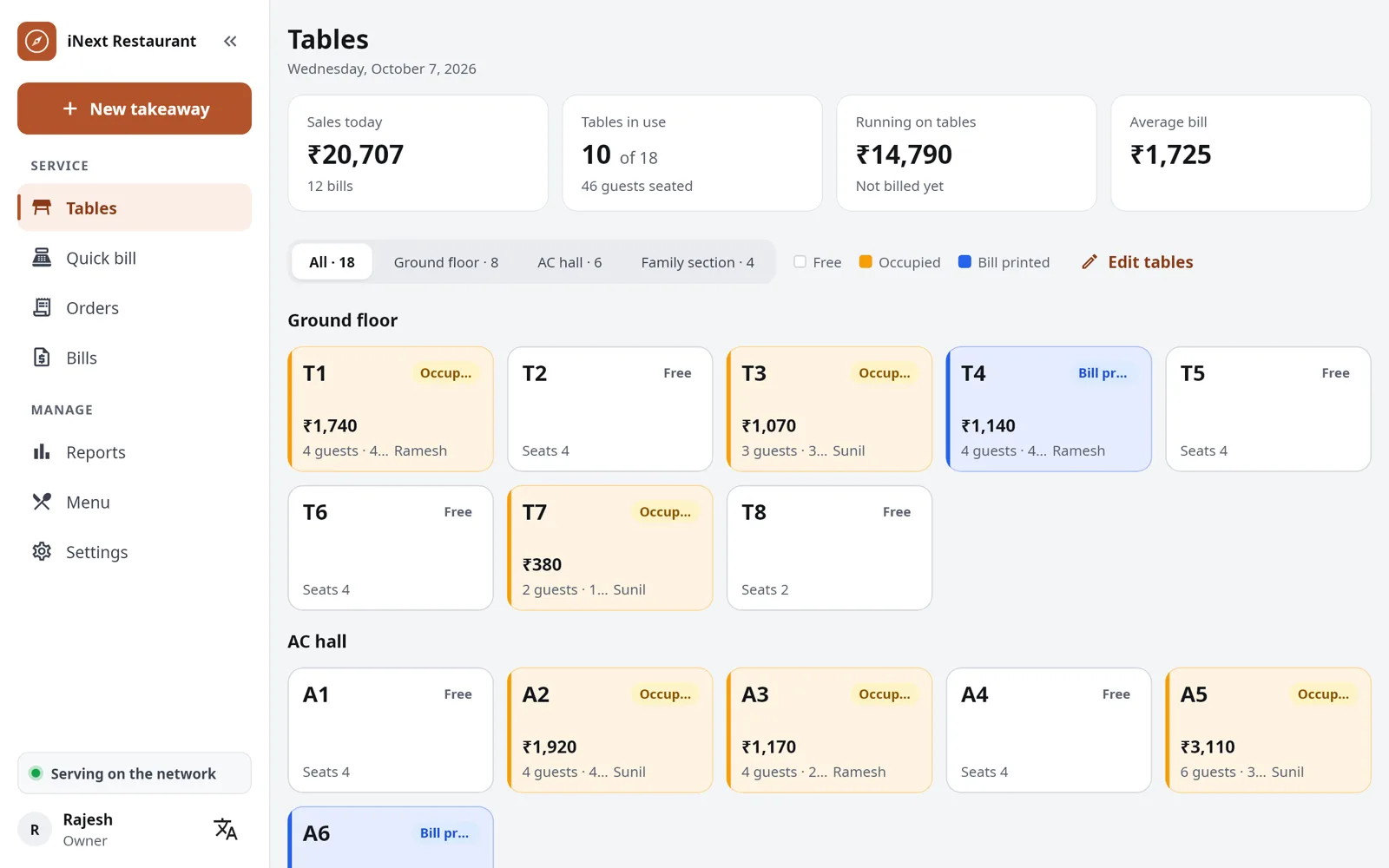
Tables, captains taking orders on their phones, and KOTs to the kitchen, tandoor and bar. Move and merge tables, and split the bill.
Plan: Restaurant, or Full if you also bill at a counter
Quick service (QSR)
The bill, the KOT and a token number in one step, with the ready tokens on a TV.
Plan: Counter
Cafés
Bill at the counter with a token, or take orders at the tables. A QR menu on each table for your guests.
Plan: Counter, or Full if you serve at tables
Bakeries
Quick bills for cakes, pastries and breads, by the piece or in sizes you set, like ½ kg and 1 kg cakes.
Plan: Counter
Food trucks
Runs on an Android tablet with a Bluetooth printer and needs no internet, so you can bill wherever you park.
Plan: Counter
Canteens
Tokens at the counter, monthly credit accounts for staff or companies, and a second counter for the lunch rush.
Plan: Counter
Clubs and gymkhanas
Captains at the table and members’ meals on their account, settled later. The bar too, with the Bar billing add-on.
Plan: Restaurant, or Full with a snack bar
Events and fairs
A tablet and a Bluetooth printer make a counter anywhere: fairs, college fests, cinema and gaming-zone counters.
Plan: Counter
What you get
From the first order to the day-end report
At setup, choose Restaurant, Quick service or Both. Screens you do not use stay out of the way.
Tables and KOTs
Open a table, add items and send the KOT. Each send prints only the new items, to the right station: kitchen, tandoor or bar. Move and merge tables, and split the bill.
Captain app
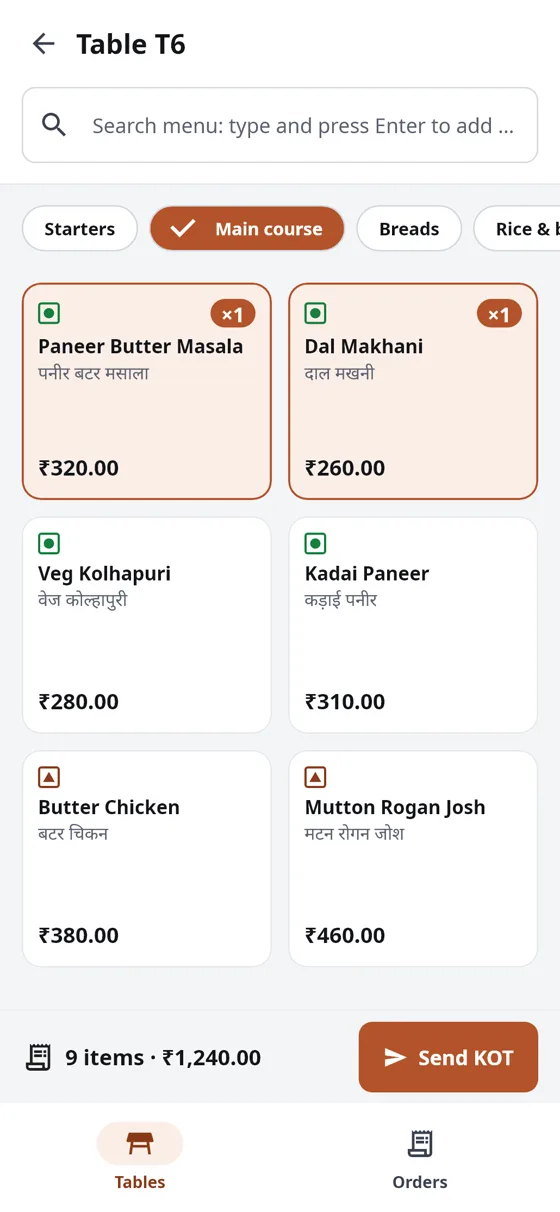
Captains (waiters) take orders at the table on Android phones. The order reaches the counter and the kitchen straight away.
Kitchen screen
Each station gets its KOTs on a printer, on a kitchen display screen, or both.
Quick service
For counters: the bill, the KOT and a token number in one step.
GST billing
Regular GST with CGST and SGST, composition with a bill of supply, or no GST. Discounts, service charge and round-off.
Every way to pay
Cash, card and UPI, with a UPI QR for the amount due printed on the bill. Split between them, or on credit for regular customers.
Works without internet
Everything runs on your outlet’s own network. When the internet goes down, billing does not.
Reports and day end
Twelve reports, from daily sales to tax, cancellations and credit due, in Excel or PDF. Close the day with a cash count.
For the owner
Your shop on your phone, wherever you are
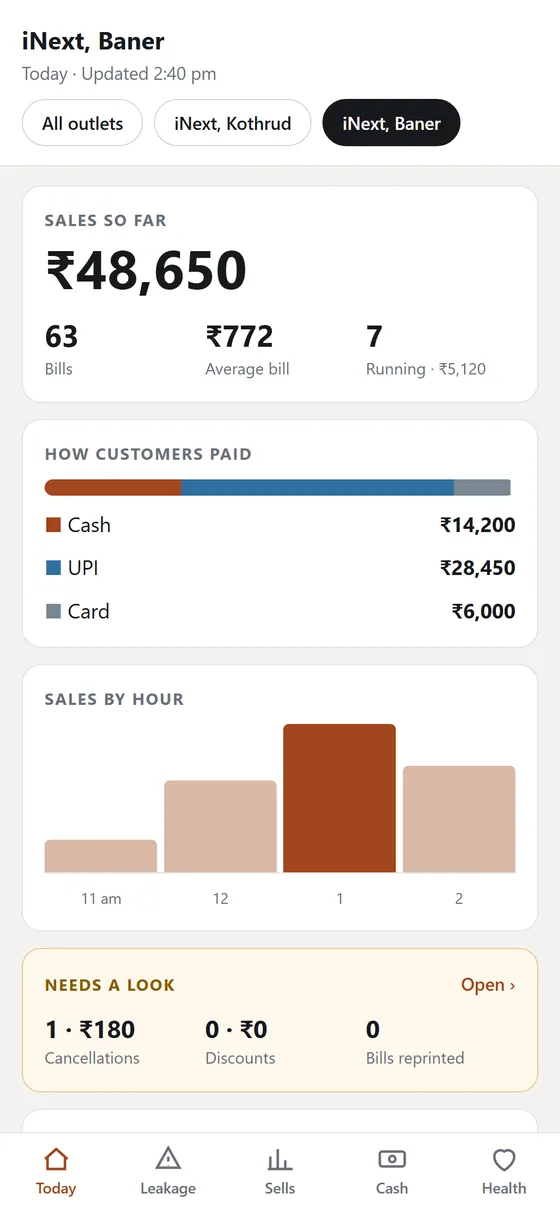
See how today is going without calling the counter. The billing PC sends the day’s totals every 20 minutes and when you close the day.
- Sales so far, bills and how customers paid, against the same day last week
- Cancellations, discounts and reprints: who did them and who approved
- Day-close cash, money paid out and credit due
- Several outlets? All of them on one phone, side by side
- Your choice: switched on at the billing PC with your PIN. Customer names and phone numbers never leave the outlet
At the table
Orders from the table to the kitchen in seconds
A captain takes the order on a phone. The KOT prints at the right station, or shows on the kitchen screen, and the table on the counter’s floor plan turns busy.
- A new KOT for every round, with only the new items
- Notes for the kitchen on any item
- The same order seen on every device
For your guests
Your menu on every guest’s phone
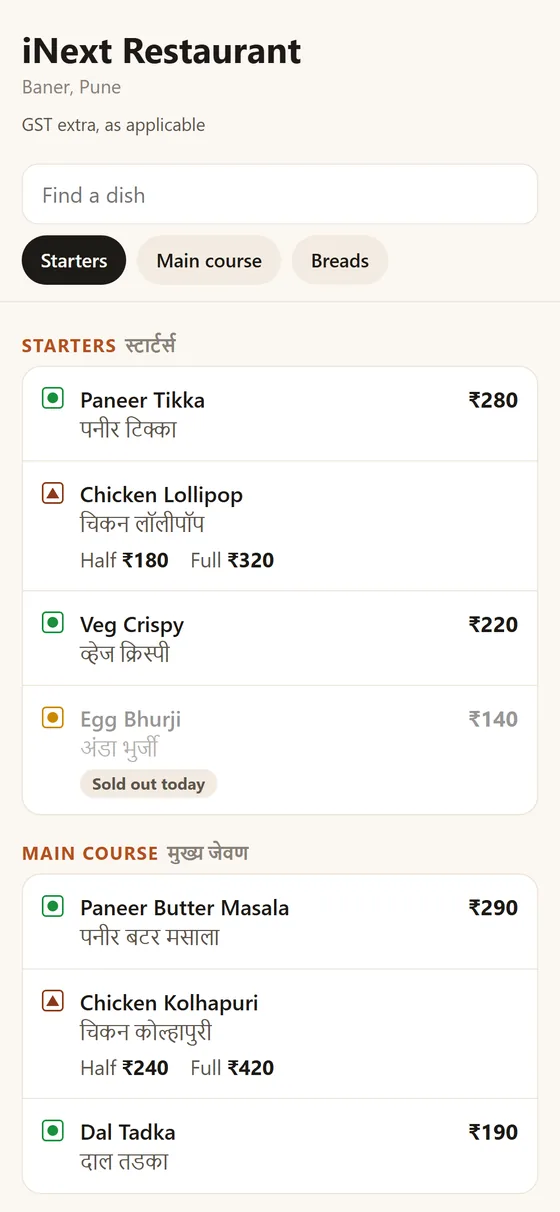
Put a QR code on each table or at the counter. Guests scan it with their phone camera and see your menu, with no app to install.
- Prices, half and full portions, veg, non-veg and egg marks
- Names in your language under the English ones
- Sold out today shows as sold out
- A price you change at the counter shows within a minute or two
- Print the QR card from the billing PC; the code never changes
- View only: guests still order with your staff
Questions restaurant owners ask
What is RestroCompass POS?
Restaurant billing software made for India. It takes orders at the table or the counter, sends KOTs to the kitchen, prints GST bills and gives you the day’s reports. It runs on a Windows PC or an Android tablet, with Android phones for your captains.
Does it need the internet?
No. The counter, the captains’ phones and the kitchen screens talk to each other over your outlet’s own Wi-Fi or network. When the outlet is online, the app also checks its licence and gets updates, and the owner’s phone page and the QR menu are kept up to date.
Is there a free trial?
Yes: 30 days with every feature, on your own PC or tablet, counted from the day you set it up.
Can I use an Android tablet instead of a PC?
Yes. The main counter can be a Windows PC or an Android tablet. Captains use Android phones.
Which printers work with it?
Thermal receipt printers, 58 mm or 80 mm, on the network, on USB with a Windows PC, or on Bluetooth with an Android device. An ordinary office printer is used only for reports, printed from a PDF.
Does it make GST bills?
Yes: regular GST with CGST and SGST and HSN/SAC codes, composition with a bill of supply, or no GST. Bill numbers run in order through the financial year, with your outlet’s prefix.
Which languages does it support?
Eight: English, Marathi, Hindi, Gujarati, Tamil, Telugu, Kannada and Bengali, chosen on each device. KOTs and bills print each dish’s name in your language under the English one, so the kitchen can read them, and the TV token board shows English with your language.
Where is my data kept?
On your own main counter device. It is backed up automatically every day, and you can keep a copy on a USB drive or on Google Drive. Only what you switch on goes online: the day’s totals for your phone, and your menu for the QR menu.
I have more than one outlet. Can I see them all?
Yes. Link your phone at each outlet’s billing PC, and see every outlet’s sales today on one page, side by side.
Does it take Swiggy and Zomato orders?
Not in this version.
See it at your own counter
Tell us about your outlet and we will show you a bill, a KOT and the day-end report.