Features · Early access
Everything a small hotel needs, from check-in to the owner’s phone
Fast check-in with AI-assisted ID scanning, GST billing, housekeeping and reports, with a front desk that keeps working when the internet does not.
AI ID scanning
Scan the card. The form fills itself in.
Scan or photograph the guest’s ID. RestroCompass works out which document it is and fills in the name, date of birth, gender, address and document number. No typing.
- Aadhaar, passport, driving licence, PAN and voter ID are recognised.
- Read on the device: the reception PC reads the card with Windows’ own text reader, and the phone with its camera. The passport’s machine-readable lines are read exactly.
- Cloud AI when you want it: switch on Google Gemini for difficult cards, such as driving licences from different states, glare, photos at an angle or Hindi text.
- Staff stay in charge: anything uncertain is marked “Please check”, and a card read by Gemini says so on screen.
Smart on the device, cloud AI only when you choose
On the device
Included in every plan, and works offline. Most cards are read right on the reception PC or the phone, with nothing sent anywhere.
Google Gemini
On the Standard, Pro and Group plans. The owner adds the hotel’s own Google key, and Google charges a few paise per card. Your hotel pays Google directly.
Never for Aadhaar
Aadhaar is always read on your own device and never sent to cloud AI. The scanned image is deleted once the details are read, and only the masked number is kept.
Front desk
Check-in, rooms and checkout
Quick check-in
Scan, check, pick a room, take the advance, print the registration card. Families and children in one check-in.
Returning guests
A guest who has stayed before is found by their document or phone number, at any of your hotels.
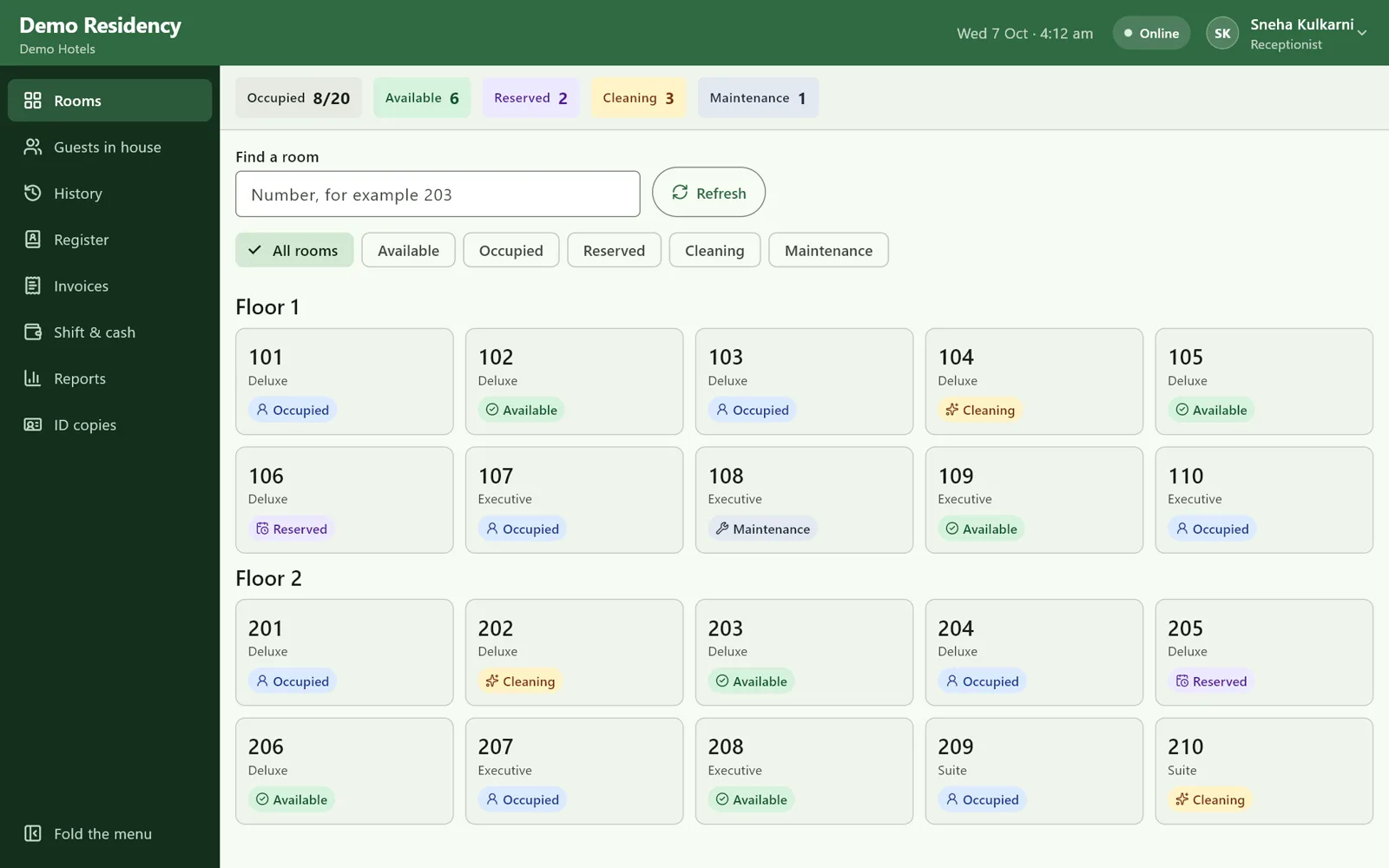
A live room board
Every room as Available, Occupied, Cleaning or Maintenance, the same on every desk and phone.
Foreign guests
Form C details are taken at check-in, and the desk reminds you until it is filed on the FRRO portal, within 24 hours.
Works offline
The internet goes down. Reception does not.
The reception PC keeps its own copy of everything it needs. Staff carry on as normal, and every change is sent to the server when the connection is back, exactly once.
- Sign in, rooms and guests
- ID scanning on the device
- Check-in, checkout and room changes
- Charges, payments and receipts
- Invoices with their own numbers, even offline
- If two desks took the same room, the manager is shown the clash. Nothing is overwritten silently.
Billing
GST-ready invoices, without the calculator
GST worked out for you
CGST and SGST at the right slab for each room night and charge, with HSN/SAC codes on the invoice.
Bill a company
Put the invoice in a company’s name with its GSTIN, which is checked as you enter it.
Every extra on one bill
Breakfast, restaurant, laundry and extra beds go on the guest’s bill. Room nights are added automatically.
Printed or PDF
Hand over a printed invoice, or keep it as a PDF. Cash, UPI, card and bank transfer are all recorded.
For owners and staff
Know how every hotel is doing, wherever you are
The owner’s view
Today against yesterday and last week, the month so far, rooms now, arrivals and departures, and what is owed. On the web and on your Android phone.
Every hotel together
Run several hotels? See them side by side, and open any one to see its figures.
Reports
Read on screen in every plan. Download as PDF, Excel or CSV on Standard, Pro and Group.
Housekeeping
Housekeeping staff see rooms to clean on an Android phone and mark them ready. Rooms with guests staying on are marked for their daily clean.
Secure and private
- Two-factor sign-in for owners
- Your data is stored in India
- Each person sees only their own hotels, in their own role
- Only masked Aadhaar numbers are stored, and ID copies stay at your hotel
- Opening the guest register in the app is recorded
Runs on what you have
- A Windows PC at reception
- A flatbed or multifunction scanner that works with Windows
- A printer for registration cards and invoices
- Android phones for the owner and housekeeping
See it at your own front desk
Book a free demo and we will walk you through a check-in, a checkout and the owner’s view.